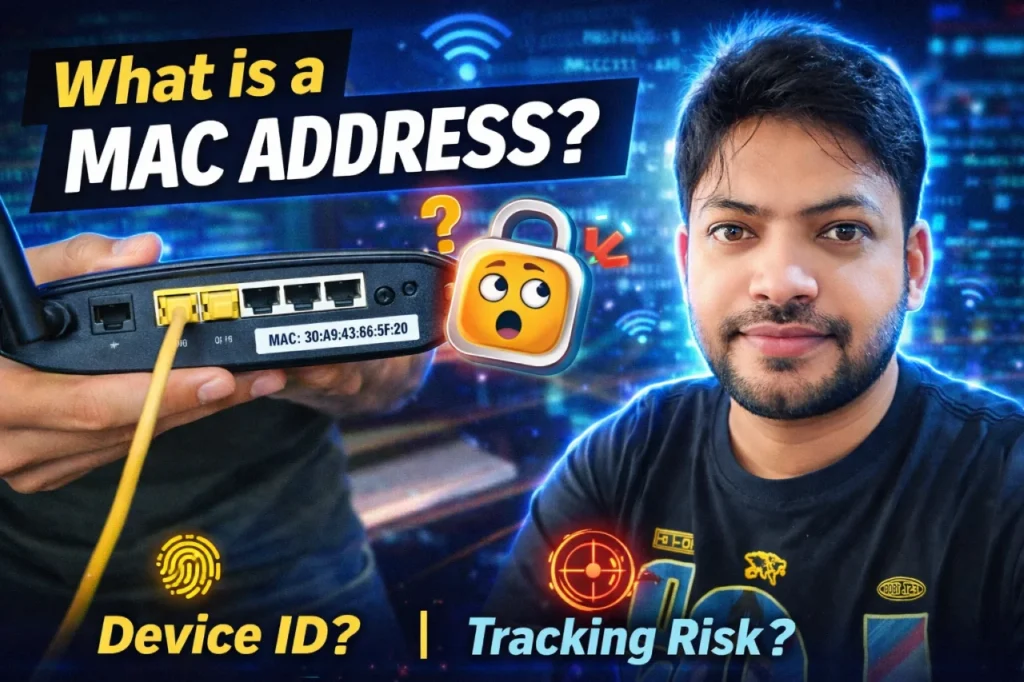
In the world of networking and cybersecurity, one of the most fundamental concepts every beginner must understand is the MAC-Address. Whether you’re preparing for CEH, learning networking basics, or starting your ethical hacking journey, this concept builds the foundation for everything that follows.
In this article, we’ll break down:
- What a MAC-Address is
- How MAC-Address works
- MAC-Address vs IP Address
- Role of MAC-Address in networking
- MAC-Address in cybersecurity
- Can MAC-Address be tracked?
- How to find MAC-Address in Windows & Linux
Let’s get started.
What Is a MAC Address?
MAC Address full form: Media Access Control Address
A MAC Address is a unique physical address assigned to every network-enabled device such as:
- Laptop
- Desktop
- Smartphone
- Router
- Switch
- Network Interface Card (NIC)
It is hardcoded into the device’s Network Interface Card (NIC) by the manufacturer.
A MAC Address typically looks like this:
00:1A:2B:3C:4D:5E
It is made up of 12 hexadecimal characters (48 bits).
How MAC-Address Actually Works
To understand how MAC Address works, you need to understand one key idea:
👉 MAC Address works at Layer 2 (Data Link Layer) of the OSI Model.
When devices communicate inside a local network (LAN), they don’t use IP addresses directly — they use MAC addresses.
Example:
- Your computer wants to send data to another device.
- It first checks the IP address.
- Then it uses ARP (Address Resolution Protocol) to convert the IP into a MAC Address.
- The switch forwards the data using MAC Address.
How Switch Uses MAC-Address
A network switch maintains a MAC Address Table.
- When a device sends data, the switch stores:
- MAC Address
- Port number
- Next time, it sends data only to the correct port.
This makes communication fast and efficient.
MAC Address vs IP Address
Many beginners get confused between MAC Address and IP Address. Let’s simplify it.
| MAC Address | IP Address |
|---|---|
| Physical Address | Logical Address |
| Permanent (usually) | Can change |
| Works at Layer 2 | Works at Layer 3 |
| Used inside local network | Used for global communication |
Simple Analogy:
- MAC Address = Your house’s internal room number
- IP Address = Your house’s public postal address
Both are important, but they serve different purposes.
Role of MAC Address in Networking
MAC Address is essential because:
- It enables device-to-device communication inside LAN
- Switches depend on it
- Used in ARP communication
- Helps in packet delivery
- Used in VLAN segmentation
- Supports network troubleshooting
Without MAC Address, local communication wouldn’t work.
MAC Address in Cyber Security
MAC Addresses play a major role in cybersecurity and ethical hacking.
1️⃣ MAC Filtering
Routers can allow or block devices based on MAC Address.
2️⃣ MAC Spoofing
Attackers can change (spoof) their MAC Address to bypass restrictions.
3️⃣ Device Tracking
MAC addresses can sometimes be used to track devices inside networks.
4️⃣ Network Forensics
Security teams analyze MAC logs during investigations.
For students preparing for CEH (Certified Ethical Hacker), this is a very important concept.
Can MAC Address Be Tracked?
Short answer: Yes, but with limitations.
- Inside a local network → Yes
- Across the internet → No (routers strip MAC information)
MAC Address is not transmitted beyond your local network.
However, in Wi-Fi environments (like malls or airports), tracking may happen for analytics purposes.
How to Find MAC Address in Windows & Linux
Find MAC Address in Windows
- Open Command Prompt
- Type:
ipconfig /all
- Look for Physical Address
Find MAC Address in Linux
Open terminal and type:
ifconfig
or
ip addr
Look for ether field.
Why MAC Address Matters for Networking & Ethical Hacking Students
If you’re learning:
- Networking Basics
- Ethical Hacking
- Cyber Security
- CEH Preparation
- Network Security
Then MAC Address is not optional — it’s foundational.
Understanding MAC-Address helps you:
- Understand how switches operate
- Perform ARP attacks in lab environments
- Detect spoofing attempts
- Troubleshoot network issues
- Build strong networking fundamentals
Final Thoughts
A MAC Address may look like just a random string of numbers and letters, but it is one of the most powerful identifiers in networking.
Without it:
- Switches wouldn’t work properly
- LAN communication would fail
- Network security controls would weaken
If you’re serious about building a career in networking or cybersecurity, mastering MAC Address is your first step.